

Text Huck.
Tell Huck what your business does. No app, nothing to log into.

Huck reads your bills, renewals and invoices, then texts you a list with a dollar figure on each one. Say which to handle. Huck does the chasing and tells you where to check.
Your first list today. Free in beta, no card. No bank login.
Tell Huck what your business does. No app, nothing to log into.
Sign in with Google. Huck reads back through your bills, renewals and invoices. No bank login.
Each finding has a dollar figure and a fix. Say which to handle.
Illustrative example.
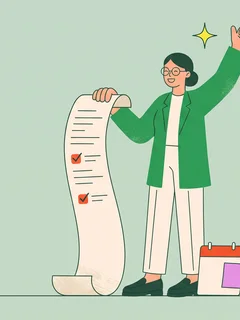
Every piece of work comes back with where to check it. A saving counts only when your next bill shows it.
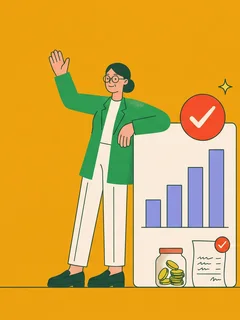
Huck is AI you text that finds the money slipping out of your business. Huck reads your email for surprise renewals, price increases, duplicate charges, refunds you’re owed and overdue invoices. It puts a dollar figure on each one and handles the fix when you say so.

Renewals, price increases, duplicate charges and refunds you’re owed.

Overdue invoices and work nobody billed.

Huck drafts follow-ups and replies to clients and leads, and takes the next step when they answer.
Calendar. Meetings booked, with the invite on your calendar.

Keep new work from going cold.
Your CRM. Kept current, without you chasing it.
Huck never deletes your email and sends only what you approve.
Huck doesn’t pay your bills, and anything that moves money always asks. Huck doesn’t need your bank login, replace your CRM, or run social media or email campaigns.
See what Huck connectsThat’s where your bills, renewals and invoices are. You connect Gmail with Google sign-in, so you never share a password. Huck doesn’t use your data to train large language models, and doesn’t sell ads. When you delete your account, Huck deletes or deidentifies your data, as the privacy notice describes.
ChatGPT waits for you to ask. Huck reads your bills, finds the money and does the chasing.
No app to learn and nothing to log into. It’s a text thread.
Most lost money leaves an invoice and a renewal at a time. Connect your email and Huck shows you the list, with a number on each one. While Huck is free in beta, if Huck doesn’t find anything, you’ve lost nothing.
Huck counts a saving only when your next bill shows the lower charge, credit or refund.
No. Huck works from your email.
Reply with the change, and Huck fixes the draft before anything goes out. Nothing goes out until you say so, and anything that moves money always asks. You see what happened and where to check it.
No. Huck is AI, and says so.
Huck works with Gmail today.
Text Huck and connect your email. Huck texts your first list today.
Free while Huck is in beta, with no card needed to start. Then $49 a month at the founding price, locked in while you stay. Regular price $99. No setup fee.
Text Huck, connect your email, and get your first list today.
Free in beta, no card.